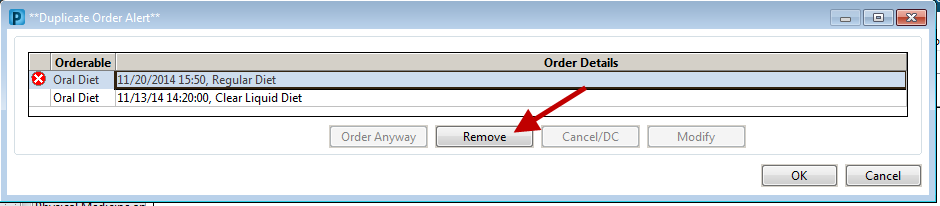
DIET ORDERS – Always modify your current order when applicable, to prevent avoidable duplicate order alerts.
Example: Currently on an oral diet and you want to advance them from clear to regular. In the orders window, click on your dietary category and right-click to modify the current order.

If you try to place a second oral diet order when there is an existing one you will get the duplicate alert.
Current functionality does not allow us to enable the ‘Cancel/DC’ button so that you can cancel the current order and continue placing the new one.